
$544.65

12-step automation
All-in-One Package
OneStep All-in-One Package
Fully automated: script, TTS, lip-sync, captions and upload
From $1.78/day

One line of topic, one finished YouTube video
Type a topic and press start. OneStep carries it through the script, images, AI voice, subtitles, thumbnail and background music, all the way to the YouTube upload. The script is written by the AI included in your plan, so there is no other AI service to subscribe to.

Revenue comes from channels that keep publishing
On YouTube, every video you add is another chance to earn. What gets in the way is the time one video takes. OneStep automates the work from planning to upload, so you can publish on a steady schedule alongside a day job. Schedule a job and the next video is made on its own while your PC is on.

Long-form, Shorts and several channels from one run
Make a landscape long-form video and a vertical Short in the same run, and give each channel its own voice, subtitle style and upload account. The workflow stays the same as you add channels, which makes it easy to split topics across channels and widen your sources of revenue.
Why monetizing gets easier with OneStep
You can do it alone
The program takes over what a scriptwriter, a voice actor, an editor and a thumbnail designer would do. You can run a channel without paying for outside work on every video.
No face and no voice of your own
An AI voice does the narration. You can clone the voice you want from a short sample, and lip-sync an avatar video to the narration.
Reach viewers abroad
Scripts and voices are made in 10 languages, Korean, English and Japanese among them. The same topic can grow into channels in other languages.
Start from proven templates
The package comes with 48 templates of 7 kinds — scripts, images, thumbnails and descriptions — built on 12 years of YouTube monetization know-how. They cut the time spent deciding what to make and how.
Polish it yourself before it goes out
Pause after the script or the images are made, or right before the upload, check and edit, then carry on. You keep the speed of automation and add your channel’s own character.
Uploads and comments are handled too
OneStep writes the title, description, tags and chapters and uploads the video as public, private or scheduled. It can also post an AI-written comment on a published video.
The program itself
Shown in Korean here. The program can be used in Korean, English or Japanese.
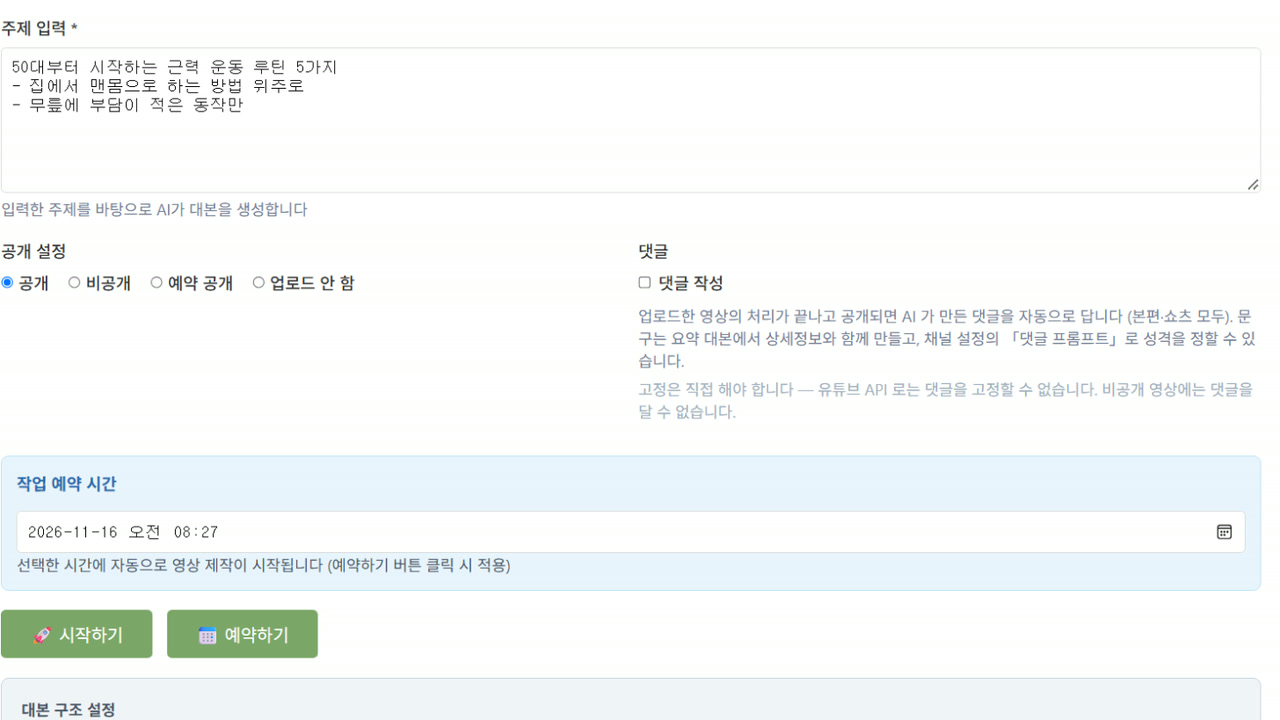
Write a topic, choose how to publish and when to run, then start. 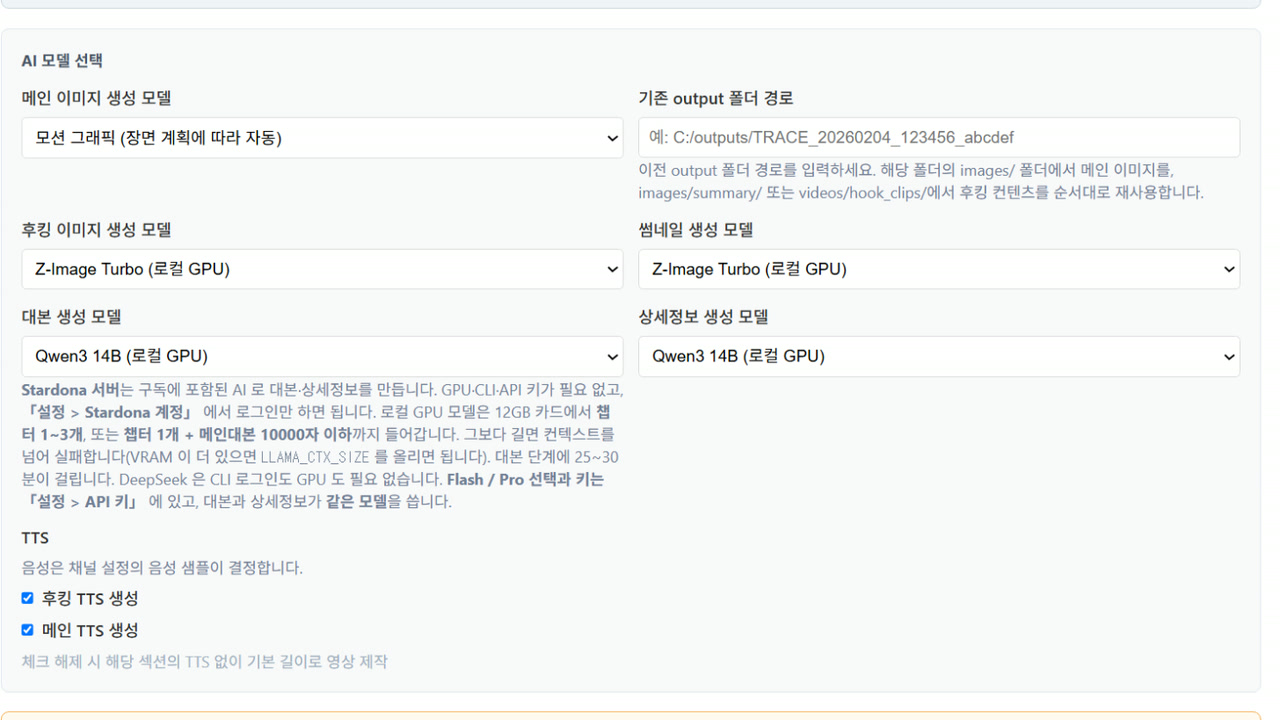
Choose the AI models that make the script, the images and the thumbnail. 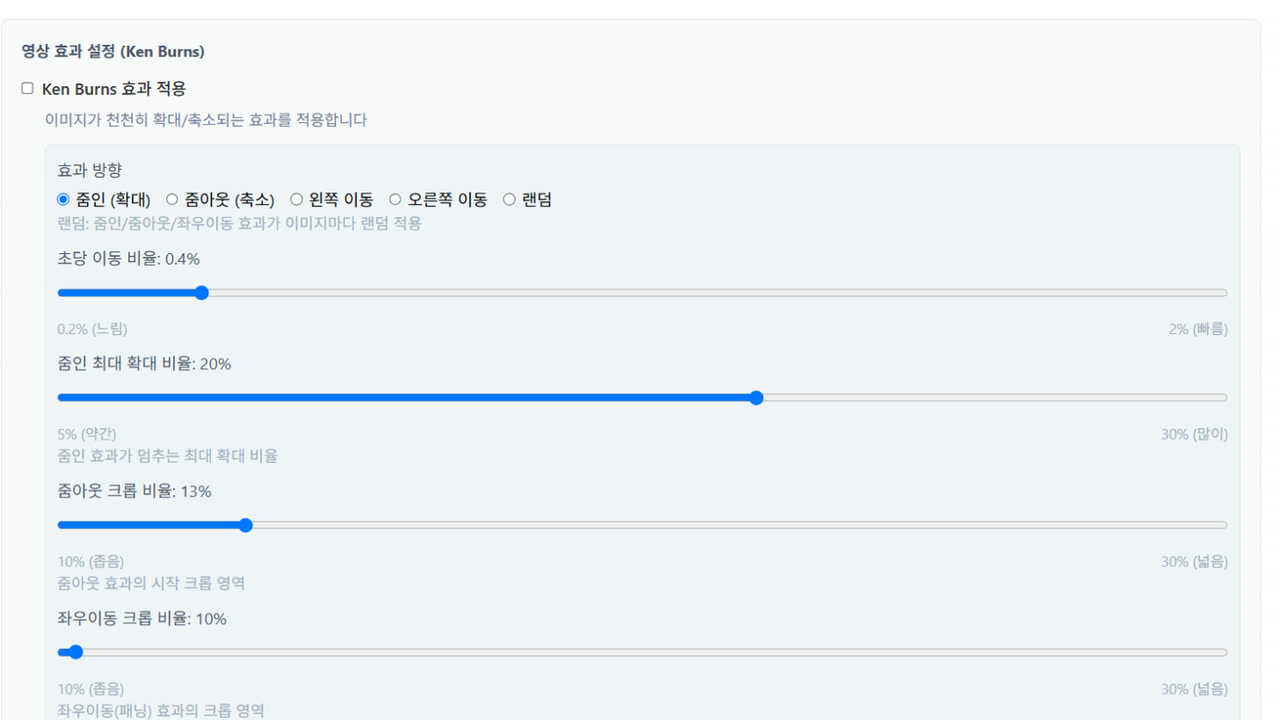
Fine-tune video effects such as zoom and pan.
Who it is for
- Anyone starting a YouTube side business with only their evenings
- Anyone who wants to run a channel without showing their face or voice
- Anyone whose uploads keep stalling because editing takes too long
- Anyone growing several channels on different topics at once
System requirements
- The program runs on Windows only. It does not run on macOS, Linux or mobile devices.
- An NVIDIA graphics card is required (at least 8 GB of VRAM). It is used for AI voice and image generation and for video encoding.
- Tens of gigabytes of free disk space are needed to download the AI models.
- An internet connection and a signed-in account with an active plan are required.
- Uploading to YouTube needs a one-time setup that connects your Google account.
A community to lean on
Notices, news, and other members’ questions and answers, all in one place.
Three ways to ask
Group chat, a Q&A board, or a private 1:1 question — nobody has to ask in public.
1:1 coaching
Stuck on something? Ask one to one, and we work out the next step for your situation together.
Weekly LIVE
Every week we go over what we tested and which features stopped working the week before.
$146.78
$793.67
$80.67
$647.63
$567.94
$706.11
$434.23
Reviews (9,477)
5.0
"상상도 못한 방식으로 수익이 나기 시작했습니다"
TTS가 이렇게 자연스러울 줄 몰랐습니다. 주변에서도 사람 목소리냐고 물어봐요.
"육아하면서 쇼츠 자동화로 월 600"
처음부터 큰돈은 아니어도, 꾸준히 올라가니 할 맛이 납니다.
"대본 입력만으로 월 50편 자동 업로드"
거창한 거 없고 반복입니다. 그 반복을 프로그램이 대신해 주는 게 이 강의입니다.
"쉽다고요? 알려줘도 안 하는 게 더 많아요"
얼굴 없이 운영하는 게 목적이었는데, 립싱크만으로도 충분히 봐줄 만합니다.
"TTS 음성인데 진짜 사람 같아서 놀랐습니다"
TTS가 이렇게 자연스러울 줄 몰랐습니다. 주변에서도 사람 목소리냐고 물어봐요.
The price goes up once these spots are gone
From $1.78/day